> The only issue with it is that font rendering looks horrific, but that might just be my machine.
This is because GTK4 enables pixel/scaling-independent fractional vertical positioning, even with hinting enabled. There's a long (somewhat ongoing) discussion at https://gitlab.gnome.org/GNOME/gtk/-/issues/3787, though I haven't followed the last few months of discussion.
Even though GTK4 aims to achieve scale-independent layout, the 4 horizontal/vertical positions still produce a bit of judder, and fonts do not scale smoothly (even with bilinear interpolation) with hinting enabled, and (unless fixed) there are rendering issues due to failing to clear the texture atlas properly: https://gitlab.gnome.org/GNOME/gtk/-/issues/4322
Interestingly there's a proposal to switch GTK4 fonts to SDF-style rendering. This is somewhat like what Qt Quick 2 implemented already (and KDE turns off and reverts to FreeType rendering, to make QML apps mimic Qt Widgets font rendering more): https://blogs.gnome.org/chergert/2022/03/20/rendering-text-w... However, I looked at https://github.com/behdad/glyphy and it seems to implement vector-based SDFs, instead of earlier texture-based SDF/MSDFs used by Valve games and Qt Quick.
“Scale-independent layout” (layout that ignores pixel aliasing) really requires PPI over ~200, that is, more than most desktop monitors provide. We’re still just not there.
It’s going to be a bloody mess for a long time, because the choices for how to handle resolution independence are all inherently filled with compromise.
With font rendering, I think there is hope. Horizontal subpixel positioning with vertical hinting seems like a good tradeoff to me. Grid fitting vertically is not too jarring, and grid fitting horizontally to subpixels instead of pixels looks pretty good too, on low resolution displays.
But it really is a son of a bitch elsewhere. For example, if you want a crisp 1px border on 96 dpi, you could specify it to be a 1px border at 96 dpi… but then what happens at 1.5x or 1.75x scale? From a purely logical position, the blurry line is actually the general case, and the integer scale case is actually an edge case. That desktop UIs aren’t blurry basically always is because we define them in terms of 96 DPI displays.
It gets worse for APIs, because APIs that want to present a resolution-independent world will cause difficult to tolerate bugs. The VS Code terminal will often be blurry at non-integer scales because it is using HTML canvas. If the canvas width or height is not a multiple of the size of a CSS pixel, it will cause the internal buffer to be scaled horridly. The fix might be a new API that reveals true coordinates… very, very nasty.
Apple’s solution was extreme: dump all font hacks, always render apps at 2x, then scale the whole framebuffer for different scale factors. It’s somewhat blurry, but avoids many ugly pitfalls in the common case, and makes apps simpler.
Unfortunately, the rest of the world is just stuck with really bad scaling and more often blurring on 96 DPI displays, the worst of both worlds.
I really don't understand what was wrong with the X11 approach. I had a high DPI monitor in 2001. I typed the DPI into /etc/XFree86.conf or whatever, and it all Just Worked (TM).
Edit: I think modern web browsers implement ctrl-+ and ctrl-- the same way, except X11 apps kept separate directories of icons rendered for different DPIs, because 1GHz single core still seemed luxurious. Web browsers scale the bitmaps using some reasonable algorithm. Other than that, arbitrary zooms work with zero blur.
For what it's worth, PostScript also got this right back in the 80s.
> I think modern web browsers implement ctrl-+ and ctrl-- the same way, except X11 apps kept separate directories of icons rendered for different DPIs, because 1GHz single core still seemed luxurious. Web browsers scale the bitmaps using some reasonable algorithm. Other than that, arbitrary zooms work with zero blur.
Web browsers scale bitmats if no other version is available but you can provide different bitmaps for different pixel ratios to avoid any blurryness [0]. Resolution independence is one thing that the modern web stack gets right - even 1-pixel borders/lines and space between elements generally works as expected for different scales.
Of couse *mobile* browsers made the IMO stupid decision of only activating these scaling features when you add a special tag to your HTML header.
Well, how much it Just Worked really depended on what you were doing and how. At a point, it all stopped Just Work-ing.
Old old X11 apps used X11 drawing commands. These sucked, and nobody liked them. If you think you liked them, please show me your clean Xlib codebases for proof :P As far as I can recall, these still dealt with pixels, so clients were on the hook for dealing with scaling, though in theory it wasn’t too bad. They don’t really solve any of the pixel perfection issues that I am discussing, though.
More modern apps (— early 2000s should be “modern” enough by X11 standards, but my memory is foggy and I’m too young to really be an expert here —) instead blit pixmaps sent over shmem, defeating both network transparency and the inherent “vector” nature of many of the old drawing commands. X11 didn’t really handle anything other than knowing the DPI (… that you told it …)
At that point, up to GTK+2 and Qt 3, which is to say, even quite a while After 2001, you had at best limited scalability. If you had your CRT cranked up to around 150 PPI, everything was OK — you could get text scaling and the disparity wasn’t so bad. However, GTK+2 and Qt 3, and their ancestors, were not built with DPI independence. At best, they could adjust vector text sizes according to DPI and scaling preferences. Again, this looks OK for nvidia-xsettings and a modest PPI increase, but it’s absolutely terrible for anything more. Margins don’t adjust, padding doesn’t adjust, icon sizes don’t adjust, nothing. There’s no blur or jankiness because there’s no true scaling.
(Just as a quick note, this is literally the reality of GIMP today, right now. It’s still on GTK+2, and so the best you can get is text scaling, or flat out nothing.)
And that’s to say nothing about what happens if the DPI changes, which requires you to effectively restart everything. And that also doesn’t help people who have two different displays with different PPIs. The ever common case of the high DPI laptop with a cheap LCD plugged in. Have fun with that crap.
Modern Linux can do better. The Wayland protocol comes with DPI negotiation that allows naive clients to get blurry upscaling, “simple” clients to pick a set of scales they can support and have the server adjust for whatever one they decide to render to, and advanced clients can render at any DPI, in response to the server advertising what DPI the current display is. With atomicity of configuration changes that allows a properly written client and server to never render an “intermediate” incorrect frame, and scaling that ensures that surfaces across multiple displays display at the correct DPI on all of them (albeit with either upscaling or downscaling on some of them.)
And that still does absolutely nothing to solve the fact that pixel perfect layouts are inherently not perfectly “scalable.” Because truly scaling some vector drawing commands that just happen to be pixel perfect at one resolution will not always result in pixel perfect rendering in another. You would need code that compensates for the scaling. Old X11 apps did not do this.
Of course I could be completely wrong and old X11 could’ve had some amazing DPI scaling technology that I somehow missed for decades. I don’t think so. My memory is that when I finally hooked up a high DPI display to Linux, I experienced tiny Skype, Pidgin (GAIM) with tiny icons and large text, and nvidia-xsettings with weird hinting/kerning. I’d like to move on from that kind of scaling.
P.S.: PostScript doesn’t do anything magic either. Everyone’s graphics systems were PostScript inspired, and yet macOS wound up with the same DPI scaling conundrums as anyone else. Most people wouldn’t tolerate desktop apps as blurry as a PDF at 96 DPI.
> More modern apps (— early 2000s should be “modern” enough by X11 standards, but my memory is foggy and I’m too young to really be an expert here —) instead blit pixmaps sent over shmem, defeating both network transparency and the inherent “vector” nature of many of the old drawing commands. X11 didn’t really handle anything other than knowing the DPI (… that you told it …)
This is entirely untrue. Did you even try ? Qt even at version 6 still supports rendering through X11 commands, and afaik does that by default when ssh'ing on Debian distros.
And I can set my Xft.dpi to, say, 144, ssh -X somewhere and the apps I launch (tried gtk2, gtk3, Qt 4 to 6) will so far all use the correct local DPI. Which other remote UI technology supports that ?
> This is entirely untrue. Did you even try ? Qt even at version 6 still supports rendering through X11 commands, and afaik does that by default when ssh'ing on Debian distros.
When you connect over SSH, it will fail to setup XShm and then it will work as expected, only slower than the speed of smell, because now it’s shipping pixmaps over the network. Not all X11 clients continue to work properly if XShm can’t be established, and hardware acceleration is basically a no-go despite OpenGL/glx theoretically being a client/server ordeal.
> And I can set my Xft.dpi to, say, 144, ssh -X somewhere and the apps I launch (tried gtk2, gtk3, Qt 4 to 6) will so far all use the correct local DPI. Which other remote UI technology supports that ?
Waypipe. Unlike X11, Wayland doesn’t start with network transparency as a principle, but it is completely possible to proxy it. Other than not being able to get a hardware-accelerated OpenGL or Vulkan context, a client connected over Waypipe is very similar to a local client. The proxy can handle things like serializing data sent over shared memory, so UI toolkits and other client code doesn’t need to behave any differently over the network; it just needs to use synchronization primitives correctly.
> When you connect over SSH, it will fail to setup XShm and then it will work as expected, only slower than the speed of smell, because now it’s shipping pixmaps over the network.
no, this is false. Here's a video of dolphin, KDE's Qt 5 file manager, run over ssh on another computer: does that look like it's blitting pixmaps over the network ?
When checking nload, this uses ~8 megabyte/second, I can let you imagine how much it would be to blit a constantly scrolling UI at 140 fps - I can assure you that even gigabit ethernet does not cut it unless compressing a lot :-)
Honestly, I regret arguing on this point. There’s no reason for me to continue on it, since it has nothing to do with what I was really trying to discuss about X11 apps. Still, 8 MiB/s is a shit ton of data, and given that it is screen data I’m sure it would zlib compress very well. Is it shipping the whole app as one pixmap? I am not really making that claim, though I actually thought they dropped XRender based QPainter somewhere in Qt 4, but it’s not plainly obvious that they did. I’ll concede on that. It’s still mostly shipping pixmaps either way, especially depending on how things nest, because the text is absolutely all pixmaps, but it would be more efficient by a decent bit than shipping the entire app as pixmaps due to being able to do compositing on-server.
It doesn’t change anything about DPI independence, because neither XRender nor the basic X drawing functions provide you with scalability built-in.
it is minuscule, and it is the peak I managed to get when moving as fast as possible. At the same refresh rate, blitting, say, 1024x1024 pixmaps would yield 576MiB/s so here we are talking about 72 times less. And it's while running a moderately image-heavy app with most likely room for optimization. One I often use is pavucontrol-qt: this one gives me less than 1MiB/s of network traffic when resizing it madly.
> It doesn’t change anything about DPI independence, because neither XRender nor the basic X drawing functions provide you with scalability built-in.
icons are scaled, images are scaled, text is scaled... what is missing ?
Also, regarding zlib: I took a screenshot of this window and compressed it as png (which uses zlib if I'm not mistaken ?) which gives me 137KiB, or 19MiB at 144fps. So more than twice as much as what X11 manages (and that is raw X11, IIRC there are X11 protocol extensions which also pass the X11 messages through gz, but I've never felt the need for that as things are already perfectly fast).
If you can show me any video-compression-based implementation that allows me to get this close to zero latency with zero image degradation (especially for text, you really don't want subpixel font AA to be video-compressed) and as little network overhead as what Qt gives over X11 I'll be super happy, but I really think it is unrealistic.
> it is minuscule, and it is the peak I managed to get when moving as fast as possible. At the same refresh rate, blitting, say, 1024x1024 pixmaps would yield 576MiB/s so here we are talking about 72 times less.
If 70% of the pixels are the same shade of gray, that’s not impressive at all. If you are serializing image data and storing it over the network, you can do better than uncompressed with virtually no CPU load increase. Even moreso if you’re doing multiple correlated frames.
> when I set Xft.dpi to 144 on my machine and run the same thing over ssh I see this: https://i.imgur.com/JQhEcvG.png
icons are scaled, images are scaled, text is scaled... what is missing ?
Nothing.
That scaling is done by Qt, and has all of the aforementioned issues with regards to scale factor. That’s why we’re talking about X11; there is no “X11” way of handling scaling. X11 clients are responsible to scale things. Even events do not get their coordinate spaces scaled, either.
The point of this thread is not that you can’t scale UIs. It is that GTK+4 looks bad on low DPI monitors because it has stopped attempting to do pixel perfect UI and instead uses truly scalable layout and rendering. In the truly scalable world, 96 DPI is as blurry as 200+, only you don’t see it when there are more pixels.
That said, Qt has plenty of UI scaling bugs.
> Also, regarding zlib: I took a screenshot of this window and compressed it as png (which uses zlib if I'm not mistaken ?) which gives me 137KiB, or 19MiB at 144fps. So more than twice as much as what X11 manages (and that is raw X11, IIRC there are X11 protocol extensions which also pass the X11 messages through gz, but I've never felt the need for that as things are already perfectly fast).
Yeah, because even raw X11 with pixmaps won’t redraw the whole screen at once. It will use dirty rects. When scrolling this could still be a substantial amount of data, but nonetheless.
As I suspected, as far as I can ascertain, it really is just shipping pixmaps. 8 MiB/s sounds very consistent with what bug reports are saying;
This was changed in Qt 4.8, exactly like I remember it. But what I didn’t know was that XRender rendering was reintroduced in 5.10, because of this exact problem.
(Just to be clear, that means you get efficient SSH for most Qt apps, which have native mode enabled, from Qt 4.0 to 4.8, then 5.10 onward. A substantial slice of history to be sure, but more limited than it seems people think.)
If you’re on 5.10+, you should be able to get dramatically better performance with `-graphicssystem native`
> If you can show me any video-compression-based implementation that allows me to get this close to zero latency with zero image degradation (especially for text, you really don't want subpixel font AA to be video-compressed) and as little network overhead as what Qt gives over X11 I'll be super happy, but I really think it is unrealistic.
What can do better? Yes, it’s true, compressing text with lossy algorithms could pose a problem.
However, consider the following: if you wanted to compress frames, you would Never ship PNGs over the network, at least not like this. You’d get dramatic savings just by XORing the current frame with the last frame and the RLEing that. Boom, smooth scrolling achieved. Combine it with dirty rects and possibly some other techniques and it should be good enough.
Besides, at 8 MiB/s, lossless video codecs are pretty doable for fullsceen UI. Modern VNC implementations (Ultra, Tiger, etc.) make a joke of this figure and can still get good text quality.
> Besides, at 8 MiB/s, lossless video codecs are pretty doable for fullsceen UI. Modern VNC implementations (Ultra, Tiger, etc.) make a joke of this figure and can still get good text quality.
Here's how tigervnc looks on the exact same situation:
Sure, it uses less bandwidth (between 2 and 2.5 MiB for the busy part of this video) but it is also full of artifacts (https://i.imgur.com/4QrV9xl.png), super slow compared to X11 and does not respect my local settings. no thanks !
True! VNC is not ideal because it's pretty old by now. Chrome Remote Desktop would've been a better example, and even that is behind what can be done, as I believe it still uses VP8. It's possible even a lossless codec like ffv1 could be plausible in the window of 8 MiB/s, but I'm not sure it's necessary, as even old h264 does a pretty convincing job at very low bitrates.
Here's a snippet of my 2256x1504 screen, uncompressed:
...But they are not really noticeable in motion, and it clears up quickly.
I don't have a high framerate, high DPI display to test, but I'm guessing most people will only strongly care about one or the other since displays that do both are pretty expensive.
And yeah, chroma subsampling on subpixel rendering should impact legibility, but in practice it's difficult for me to tell any difference.
I've played around for a bit and I don't go above 1 MiB/s so far. I probably would need to play a video for that.
The only place where the text looks remotely smudged to me is in the low contrast bits in the header. It’s very difficult for me to tell the difference otherwise, especially considering that it’s high DPI.
And h264 is old, and I’m using software x264 with fairly modest settings. More modern general video codecs like h265, VP9, perhaps even AV1 can eek out slightly better fidelity at similar bitrates, at the cost of higher complexity. (But if it can be hardware accelerated at both ends, it basically doesn’t matter.)
And these codecs are designed for general video content… it would be instructive to see exactly what kind of performance could be achieved if using lossless codecs or codecs designed for screen capture like ffv1 or TSC2.
It would be… but honestly, there’s no point, because all I was trying to illustrate is that I sincerely doubt 8 MiB/s is the best that can ever be done for a decent desktop experience. Judging by Qt issue reports, it’s worse than what Qt used to be able to accomplish. If you really like your X11 setup, there’s no reason to change it, because it isn’t going to become unusable any time soon. Even if you switch to Wayland in the future, you should still be able to use `ssh -X` with Xwayland as if nothing ever really changed.
This is all a serious tangent. The actual point was that again, X11 doesn’t have any built-in scaling. All along, it was Qt 4+, GTK 3+, and other X11 clients that have been handling all of the details. And traditionally, it wasn’t good. And even contemporarily, it still has issues. Beckoning to the “way X11 did it” makes no sense because 1. X11 as a protocol or server never did anything 2. Even then, historically toolkits have had a lot of trouble dealing with it. The fact that you set the DPI for Xft specifically, which is just a font rendering library, hints at the reality: what oldschool X11 “scaling” amounted to in the 2000s was changing how font sizes were calculated. Modern toolkits just read this value to infer the setting, and it still isn’t good enough for many modern setups that Linux desktops want to support.
> For example, if you want a crisp 1px border on 96 dpi, you could specify it to be a 1px border at 96 dpi… but then what happens at 1.5x or 1.75x scale?
The border width should get snapped to the physical (sub-)pixel resolution as part of rendering. Typically, this should come with changes in contrast too, such that if a line is forced to become thinner it also gets drawn with higher contrast wrt. the surroundings, and vice versa. All of this stuff can be made to work.
Also, if you are forced to render a canvas at a resampled resolution because existing APIs give you no other choice, at least do it right using a proper Lanczos-style resampling. This might end up with a quaint "watercolor" effect but guess what, that's a lot better than a blurry, eye-fatiguing mess.
We’ve tolerated a great degree of complexity just to make fonts look good at 96 DPI. Looks like we’re able to tolerate a bit more complexity to enable GPU rendering. However, many years into having high DPI displays, it’s not obvious people are willing to take the complexity to make low DPI and high DPI screens look good simultaneously.
The thing is, with fonts, we already bear the burden of font rendering being complex because that was needed for 96 DPI displays. But, we won’t need much of this magic or complexity when a vast majority of people are using higher DPI displays, because at >200 PPI the difference between a blurry line and a sharp line is basically nil. That is obvious enough on Apple platforms, where many are perfectly happy with the scaling even though it uses 2x as a base for all scales.
I think the future is simply pain. People want cleaner graphics pipelines, and only high DPI displays will get them anywhere.
I’ve come to the same conclusion. Making hi(-ish)-DPI work would be possible with the right APIs. But it’s virtually impossible to also make it work for traditional low-DPI displays at the same time. The departure from pixel-art icons to vector icons alone has already degraded the low-DPI experience substantially. It doesn’t help that developers and designers tend to not use low-DPI displays anymore. But many regular users will, because it continues to be the cheaper option, also in GPU terms for gamers. Full-HD monitors won’t be going away anytime soon. Meanwhile, the mid-DPI space (e.g. 1440p) is in an uncanny valley, often requiring fractional scaling (more than 100%, less than 200%) unless you have excellent eyesight.
The font rasterizer is a massive hack in modern UIs. Subpixel rendering is a serious pain in the ass. When you render text using subpixel rendering, you render the actual vectors at 3x the spatial resolution. But, not simply as if the vectors were 3x wider, because that would look too sharp: it needs to render as if there was 3x as many pixels, which is different.
Then there’s compositing. Normal layers can be composited using alpha blending, assuming some sane format like premultiplied alpha RGBA. But not subpixel rendered text, because alpha blending the components will fuck up the subpixel rendering.
And it goes on, because if you want to handle text like everything else, you need special cases for it to look right. Rotation? Need to render the vectors rotated; can’t rotate in raster. If you need to render to a surface then transform that surface, you’re SOL; it can’t go to rasters until the end.
Normal surfaces can also be rendered at subpixel positions, and of course this does not work for surfaces containing text, because again, it will destroy the subpixel rendering.
OK. So you can get rid of the subpixel rendering and render slightly blurrier glyphs instead. (R.I.P. anyone trying to tell hanzi/kanji apart.) It’s still going to murder legibility if you move it over by a subpixel value because text is already on the edge of readability at 96 DPI.
I haven’t considered gamma correction, hinting, blending different colors, different blending modes, GPU acceleration, etc. because I simply don’t have the brain power to try to reconcile it all. It’s a nightmare.
We already did some of this for text. Which is a herculean effort. We use a freakin virtual machine to power font hinting, and ugly, complex, slow special casing at many layers of already ridiculously complex vector graphics stacks (I mean if you disagree with that assessment, you may just be smarter than I am, but I have serious trouble following the Skia codebase and I doubt Cairo is really that much better.) And speaking of which, there only really seems to be a handful of them out there: there’s Skia, used by most web browsers; Cairo, used by GTK; Direct2D, in Windows; Whatever modern macOS uses that isn’t QuickDraw anymore; and I guess there’s Mozilla’s pathfinder, a promising Rust-based vector graphics engine that was built as part of Servo and seemingly mostly abandoned, much to the world’s detriment. This work is hard. It can be done, but it’s not something I think a single engineer can do, if you want to build one that competes with the big boys even disregarding a few things like performance. I’d love to be wrong, but I have a sinking feeling I’m not.
Even text isn’t done being overcomplicated. As nyanpasu has mentioned above, some software have started implementing SDFs for font scaling. We do this because text legibility is really that important, whereas a line in the UI being slightly blurry for users on older screens is really just not that important. Some languages flat out can’t be read with crappy font rendering, and any of them will give you eyestrain if it’s ugly enough. As much as it sucks, a blurry border on a button doesn’t have an accessibility issue. And rendering at 1x and making the compositor upscale is not a great solution either because again, it’s already hard enough to read text in some languages; the added blurriness of scaling text and ruining subpixels is basically intolerable.
These hacks aren’t free, and with high DPI displays, they’re not needed. There’s a reason Apple did what they did.
OK, but there's clearly an existence proof, and it ran fine on 32 bit machines with slow processors (or even embedded CPUs in the 80's!) way before all the piled hacks you are describing were invented.
As I understand it, all that's needed is a vector renderer, and you keep everything (even text) in vector format as long as possible. RGBA then becomes a special case, as it must be for any DPI independent rendering pipeline.
Trying to compose rendered vectors using pixel based operations is madness, so... don't?
That means you can't have a bitmap-based compositor. So what? GPU's are great at rendering vectors. Composite those instead of bitmaps.
Or, just don't composite at all. A decade later, Linux desktop compositors are still an ergonomic regression vs. existing display drivers with vsync and double buffering support.
> OK, but there's clearly an existence proof, and it ran fine on 32 bit machines with slow processors (or even embedded CPUs in the 80's!) way before all the piled hacks you are describing were invented.
Yes. Driving ~1024x768 framebuffers, on single core processors, with far less demanding workloads, but still, yes. (They still badly needed good glyph caching to accomplish this.) (I’m assuming a Windows XP-tier machine since that was the era most people started using ClearType/subpixel rendering.)
(Single core processors are obviously slower than multicore processors, all else equals, but exploiting multi-core processors effectively is harder and often leads to code that is at least a bit slower in the single-core case…)
> As I understand it, all that's needed is a vector renderer, and you keep everything (even text) in vector format as long as possible. RGBA then becomes a special case, as it must be for any DPI independent rendering pipeline.
I don’t want to sound like I’m being patronizing, but I get the feeling that you may not be grasping the problem.
We can’t just use text rendering logic to power other vector graphics. For many reasons. Text is not just rendered like vectors, as that would simply be too blurry at 96 DPI. Old computers used bitmap fonts or aggressive hinting, and newer computers use anti-aliasing, often with subpixel anti-aliasing. Doing that with every line on screen isn’t feasible even if you wanted to write the code. Here’s an attempt to enumerate just the obvious reasons why:
- It’s slow. Yes, old 32 bit computers could do it, yadda yadda ya. But they did it for text. At the glyph level. And then cached it. They were most certainly not rendering anything near the entire size of the framebuffer at once.
- It’s difficult to GPU—accelerate. GPUs can do vector graphics and alpha blending fast, but subpixel rendering as its done with text is not something that can be done using typical GPU rendering paths. It could still be made to exploit GPUs, but it requires more work and is slower.
- Fonts achieve better crispness on lower DPI displays using hinting VMs. Without them, many glyphs would be quite blurry. Hinting VMs allow typographers making font outlines to make specific decisions about when and how vectors should be adjusted to look good on raster displays. In case it isn’t obvious, the problem here is that doing this for every line on the screen requires you to write special casing for every line on the screen. Maybe you could come up with a general rule that makes everything look good and doesn’t wind up with uneven looking margins or outlines ever (you really can’t, but…) — you have to run this logic for every line. That’s an increase in complexity.
- Glyphs only need to care about their relationships with eachother. UI elements on screen have arbitrary concerns. They have relationships with other things on screen; they line up with other shapes and the whitespace between them is significant. Glyphs only care about other glyphs horizontally adjacent to them (or vertically in some scripts, perhaps) but other UI elements care about their relationship with potentially any neighboring UI elements.
- UI rendering code does not exist in a vacuum. At some point, apps will need to do something that requires them to know the size of something on screen either in physical or logical dimensions. Normally, this isn’t a problem, but if all vector rendering was as complex as text, it would absolutely be an issue. The naive way of handling it would seem correct in many cases, but it would be wrong in many others, just like how old APIs that expose pixels instead of logical units tend to lead to apps with subtle scaling issues.
> Trying to compose rendered vectors using pixel based operations is madness, so... don't?
Yes, of course.
Except that, too, is hard. Think about web browsers: they need to support arbitrarily large layers for composition (like extremely long text in an overflow: scroll div,) and these layers can nest in arbitrarily deep and complex trees. Any node on this tree can apply transformations, masks, filters, drop shadows… In theory, most of this stuff should be doable without ever leaving vector land, but it’s absolutely not without its challenges.
> Or, just don't composite at all. A decade later, Linux desktop compositors are still an ergonomic regression vs. existing display drivers with vsync and double buffering support.
Hrm… I’m not talking about desktop compositing. Even modern desktop compositors render surfaces at pixel positions, so it doesn’t really cause any additional issues. I’m talking about the kind of compositing that GTK or Firefox do.
That said, I do agree that desktop compositing on Linux, especially X11, has been less than ideal. However, it certainly isn’t standing still; the situation with compositing on Wayland and open source GPU drivers has been much more promising. You still get a lot of the trademark issues with compositing that are pretty much inherent, but I have perfect vsync with good frame pacing and a solid 2 frame latency end-to-end in Chromium on SwayWM. I believe that’s close to ideal for a surface running under a compositor. A far cry from the compromise-riddled world of old GPU accelerated compositing.
The underlying logic for rendering "hinted" line borders and UI widgets is a lot simpler than for hinting arbitrary text. It's a matter of snapping a few key control points to the pixel grid, and making sure that key line widths take up integer numbers of pixels. Much of the complexity you point out only arises because we now insist on having physically sized rendering for "mixed-DPI" graphics, like a single window spanning both a low- and a high-resolution display. That's not necessarily a very sensible goal, and it's not something that would've been insisted on back when achieving "pixel perfect" rendering was in fact a major concern, regardless of display resolution.
A similar concern is the demand for arbitrary subpixel positioning of screen content, that basically only matters in the context of on-screen animations. Nobody really cares if an animation looks blurry, but it's somewhat more important for static content to look right. Trying to have one's cake and eat it too will always be harder than just focusing on what's actually important for good UX.
> The underlying logic for rendering "hinted" line borders and UI widgets is a lot simpler than for hinting arbitrary text. It's a matter of snapping a few key control points to the pixel grid, and making sure that key line widths take up integer numbers of pixels.
This is exactly what I was “hinting” at when I said coming up with a universal function that would work for anything. You can’t just snap some/all things to a pixel grid; it would look absolutely terrible because it would make lines and whitespace uneven. Even font autohinting, which does exist, is more sophisticated than just aligning key control points to a pixel grid.
> Much of the complexity you point out only arises because we now insist on having physically sized rendering for "mixed-DPI" graphics, like a single window spanning both a low- and a high-resolution display. That's not necessarily a very sensible goal, and it's not something that would've been insisted on back when achieving "pixel perfect" rendering was in fact a major concern, regardless of display resolution.
It’s not. Even under Wayland, which can achieve this, the application would only render one surface at a specific resolution at any given time. Nothing I’ve been talking about is related to being able to split a window across different DPI screens.
> A similar concern is the demand for arbitrary subpixel positioning of screen content, that basically only matters in the context of on-screen animations. Nobody really cares if an animation looks blurry, but it's somewhat more important for static content to look right. Trying to have one's cake and eat it too will always be harder than just focusing on what's actually important for good UX.
If you scale a UI that was designed for 96 DPI pixels to a screen that is around 160 DPI, you already have subpixels. If you then attempt to snap to a pixel grid instead of rendering elements at subpixel positions, then you have uneven, ugly looking UI elements.
This unevenness is arguably more tolerable for text than it is for UI elements, but Microsoft actually took the approach of not having it for text regardless; to make text look cleaner, text uses more aggressive gridfitting in Microsoft UIs, resulting in each glyph being gridfit. This is exactly why old Windows UI scaling lead to cut off text and other text oddities; it’s because the grid fitting lead to text that had different logical widths when rendered at different resolutions!
You can’t just wish away subpixels. Numbers that just happen to be whole numbers are the real edge cases in a world with arbitrary scale factors.
Are we talking about single-pixel rounding errors, or something else? The former are already practically undetectable at 1080p, and nearly-so at 768p. Given a high standard of "pixel-perfect" rendering, there's basically zero reason to push resolution any higher!
Of course one can even make pure subpixel-based rendering (no fitting-to-pixels at all) look correct, by starting either from pure vectors or from a higher-resolution raster and then using a Lanczos-style filter to preserve perceived sharpness near the resolution limit of the display. This gets us as near as practicable to something that's almost "pixel perfect", without distorting spatial positions to make them precisely fit a pixel grid.
> some software have started implementing SDFs for font scaling
My "wip/chergert/glyphy" branch of GTK 4 does rendering using https://github.com/behdad/glyphy which uses fields to create encoded arc lists and are uploaded to the GPU in texture atlases. The shaders then use that data to render the glyph at any scale/offset.
Some work is still needed to land this in GTK 4, particularly around path simplification (mostly done) and slight hinting (probably will land in harfbuzz).
Regarding slight hinting... currently GTK4 hints glyphs (distorting glyphs by quantizing vertical positioning) then renders them at fractional vertical positions (resulting in blurry horizontal lines). This is the worst of both worlds, achieving neither the scale-independent rendering of unhinted glyphs with fractional positioning, nor the sharpness of hinted glyphs with integer vertical positions. What is your plan for hinting and positioning?
You could do text hinting (snapping to the (sub-)pixel grid) after layout, based on some kind of auto-hinting heuristics. Arguably, this is needed anyway because text gets "laid out" all the time as part of advanced typesetting, including all sorts of complex microtypography that doesn't really play well with the old-fashioned "bitmap font" type of hinting.
The maintainer responded that "[c]hanges to the rounding behavior of glyph positions really belong into pango, though". I understand, but I don't know whether he's suggesting fractional layout but integer-rounded rendering, or integer-rounded line heights and layout and rendering. And I don't know how to change Pango, and lost interest in digging further.
They should take note of Windows 11 and the fallout from new menu item style due to the font no longer scaling properly at DPI “100%”. Many reported it as a bug! But it’s per design in the new Segoe Variable file where hunting breaks down at “low” (i.e. normal, non-hi) DPI.
Which is why QtQuick controls always looked like absolute garbage.
And firefox degraded as well when webrender got enabled.
I'm not sure I follow the upstream reasoning, in either gtk/qt/firefox/chrome... I'm reading text all day. The UI is still built around 90%+ text, except in very few edge cases.
I'm using 4k monitors, and I'm still a minority. Despite this, at 4k, we're still several years away from the point where we can turn off hinting. Probably a decade away for universal support. A lot more if we include existing monitors.
Between 92 and 270 dpi text still looks bad without proper grid fitting. Under 120dpi we're talking about garbage-level quality. And between 250-300 the difference is still noticeable to make it worth it.
It looks like garbage because of poor rendering quality. There's no theoretical reason why a screen could not look quite sharp even at 768p, and literally perfect at 1080p; anything higher would then be pure overkill or at best catering to a tiny minority of users with superhuman eyesight. You don't even need hinting or fitting to a pixel grid for "correct" rendering, it's just generally easier that way. But you can't let the rendering itself blur stuff and waste screen resolution - you need a good resampling filter to preserve sharpness even at the highest spatial frequencies, and the typical bilinear/bicubic approach doesn't do that.


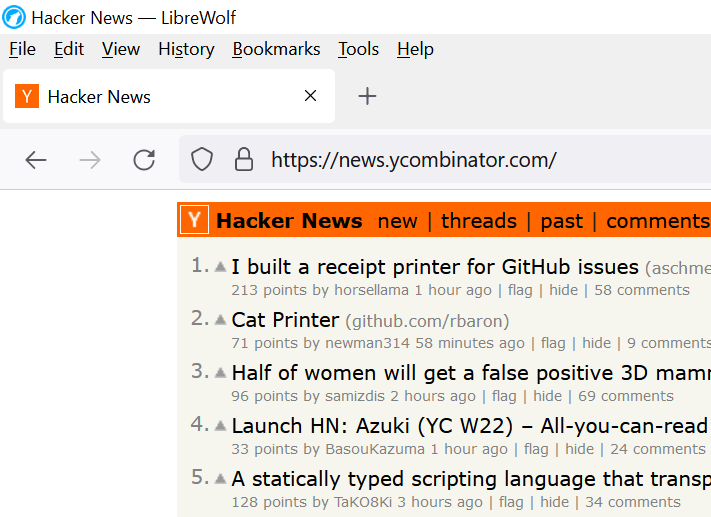
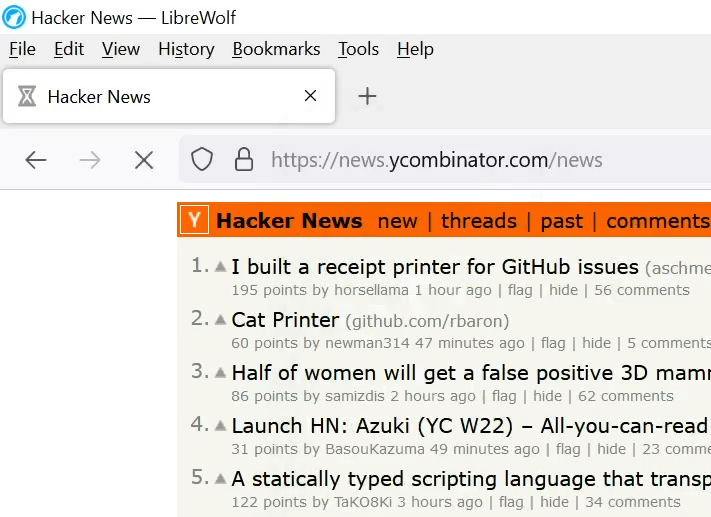

This is because GTK4 enables pixel/scaling-independent fractional vertical positioning, even with hinting enabled. There's a long (somewhat ongoing) discussion at https://gitlab.gnome.org/GNOME/gtk/-/issues/3787, though I haven't followed the last few months of discussion.
Even though GTK4 aims to achieve scale-independent layout, the 4 horizontal/vertical positions still produce a bit of judder, and fonts do not scale smoothly (even with bilinear interpolation) with hinting enabled, and (unless fixed) there are rendering issues due to failing to clear the texture atlas properly: https://gitlab.gnome.org/GNOME/gtk/-/issues/4322
Interestingly there's a proposal to switch GTK4 fonts to SDF-style rendering. This is somewhat like what Qt Quick 2 implemented already (and KDE turns off and reverts to FreeType rendering, to make QML apps mimic Qt Widgets font rendering more): https://blogs.gnome.org/chergert/2022/03/20/rendering-text-w... However, I looked at https://github.com/behdad/glyphy and it seems to implement vector-based SDFs, instead of earlier texture-based SDF/MSDFs used by Valve games and Qt Quick.